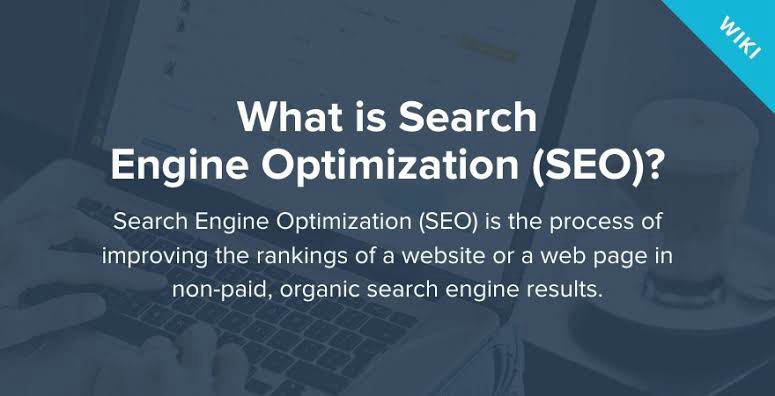
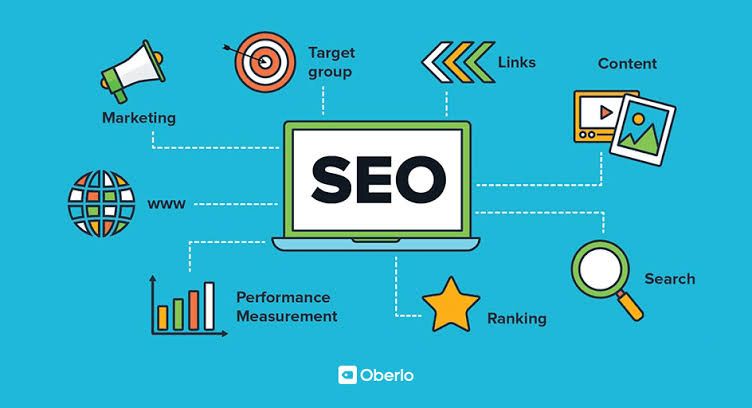
Search engine optimization (SEO) is the practice of optimizing a website to improve its visibility on search engines like Google. It involves various strategies and techniques to increase organic (non-paid) traffic to a website. SEO helps websites rank higher in search engine results pages, making it easier for people to find them. It includes optimizing website content, improving website speed and performance, and building high-quality backlinks. It’s an important aspect of digital marketing and can greatly impact a website’s online presence and success.
Keyword research and analysis: Keyword research and analysis is a crucial step in website planning and design. It helps you understand what terms and phrases people are using to search for information related to your website. You can improve your website’s visibility and attract the right audience by targeting the right keywords. Here’s an overview of keyword research and analysis with subheadings:
Importance of Keyword Research:
- The role of keywords in driving organic traffic to your website.
- How keywords impact search engine rankings and visibility.
- Why understanding user intent is essential for keyword research.
Understanding User Intent:
- Different types of user intent: informational, navigational, and transactional.
- How to identify user intent through keyword analysis.
- The importance of aligning content with user intent.
Generating Keyword Ideas:
- Brainstorming relevant topics and themes related to your website.
- Utilizing tools like Google Keyword Planner, Ubersuggest, or SEMrush.
- Analyzing competitor websites for keyword inspiration.
Keyword Volume and Competition Analysis:
- Determining the search volume for keywords using keyword research tools.
- Assessing keyword competition to identify opportunities.
- Balancing high volume keywords with less competitive ones.
Long-Tail Keywords:
- The benefits of targeting long-tail keywords.
- How long-tail keywords help in attracting more targeted traffic.
- Tools and techniques for finding long-tail keywords.
Keyword Selection and Prioritization:
- Analyzing keyword relevance to your website’s content and goals.
- Choosing keywords with a good balance of search volume and competition.
- Prioritizing keywords based on their potential impact and relevance.
Monitoring and Refining:
- Regularly tracking keyword rankings and performance.
- Making adjustments to your keyword strategy based on data and insights.
- Staying updated with evolving search trends and user behavior.
On-page SEO techniques: Essential for optimizing your website’s individual pages to improve search engine rankings and attract organic traffic. Here’s a breakdown of some key on-page SEO techniques:
Keyword Optimization:
- Incorporate your target keywords naturally into page titles, headings, and content.
- Use variations of your keywords to avoid keyword stuffing and maintain readability.
- Optimize meta tags, including meta titles and meta descriptions, to improve click-through rates.
High-Quality Content:
- Create unique, informative, and engaging content that provides value to your audience.
- Use proper headings (H1, H2, etc.) to structure your content and improve readability.
- Include relevant images, videos, or infographics to enhance the user experience.
URL Structure:
- Use descriptive and concise URLs that include your target keywords.
- Separate words in URLs with hyphens for better readability.
- Avoid using unnecessary parameters and numbers in your URLs.
Page Speed Optimization:
- Optimize your website’s loading speed to provide a better user experience.
- Compress image sizes, minimize code, and leverage browser caching.
- Use a content delivery network (CDN) to improve page load times.
Mobile-Friendly Design:
- Ensure your website is responsive and mobile-friendly.
- Use a responsive design that adapts to different screen sizes and devices.
- Optimize font sizes, button sizes, and touch elements for mobile users.
Internal Linking:
- Link relevant pages within your website to improve navigation and user experience.
- Use descriptive anchor text that includes relevant keywords.
- Create a logical and organized internal linking structure.
User Experience (UX) Optimization:
- Make sure your website is easy to navigate and user-friendly.
- Improve site architecture, including clear menus and breadcrumbs.
- Optimize your website for accessibility, including alt tags for images and proper heading structure.
Social Sharing Integration:
- Include social sharing buttons to encourage users to share your content.
- Optimize meta tags for social media platforms to ensure proper display when shared.
Schema Markup:
- Implement structured data markup to provide search engines with additional context.
- Use schema markup for elements like reviews, events, recipes, and more.
- This can enhance search engine visibility and improve click-through rates.
Remember, these are just some of the on-page SEO techniques you can implement. Each website.
Meta tags and descriptions: Play a crucial role in on-page SEO. Let’s dive into what they are and how to optimize them for your website.
Meta tags are snippets of text that provide information about a web page’s content to search engines. They are not visible on the page itself but are included in the HTML code. The two most important meta tags are the meta title and meta description.
Meta Title:
The meta title is an HTML element that defines the title of a web page. It appears as the clickable headline in search engine results. Here are some tips for optimizing meta titles:
- Keep it concise and compelling, ideally between 50-60 characters.
- Include your target keyword or keyphrase to improve relevancy.
- Place important keywords closer to the beginning of the title.
- Ensure each page has a unique meta title to avoid confusion.
Meta Description:
The meta description is a summary of the web page’s content that appears below the meta title in search engine results. It helps users understand what the page is about. Here’s how to optimize meta descriptions:
- Keep it concise, around 150-160 characters, to avoid truncation.
- Write compelling and engaging descriptions that entice users to click.
- Include relevant keywords naturally, but don’t overstuff them.
- Make each meta description unique and specific to the page’s content.
Optimizing meta tags and descriptions is essential for improving click-through rates and attracting organic traffic. When crafting them, consider the following:
- Relevance: Ensure that your meta tags accurately reflect the content of the page. Users should find what they expect when they click through.
- Readability: Write meta tags and descriptions that are clear, concise, and easy to understand. Use proper grammar and punctuation.
- Call to Action: Include a compelling call to action in your meta description to encourage users to click on your page.
- User Intent: Consider the user’s intent and what they are looking for when crafting your meta tags and descriptions. Address their needs and provide a solution.
- Testing and Optimization: Monitor the performance of your meta tags and descriptions using analytics tools. Test different variations to see which ones generate the best results and make adjustments accordingly.
Remember, meta tags and descriptions are not direct ranking factors, but they indirectly influence click-through rates and user engagement, which can impact your SEO efforts. So, make sure to optimize them for every page on your website.
URL Structure and Navigational Optimization: let’s talk about URL structure and navigation optimization for your website. It’s important to have a well-structured URL and user-friendly navigation to enhance the user experience and improve your website’s performance.
URL Structure:
A clean and organized URL structure is not only beneficial for search engines but also for users who want to understand the content of a page just by looking at the URL. Here are some tips for optimizing your URL structure:
- Keep it Simple: Make your URLs concise and easy to read. Avoid using unnecessary numbers, symbols, or special characters. Instead, use relevant keywords that accurately describe the content of the page.
- Use Hyphens: Separate words in your URL with hyphens (-) rather than underscores or spaces. This improves readability and makes it easier for search engines to understand the words in your URL.
- Include Keywords: Incorporate relevant keywords into your URL structure. This helps search engines understand the topic of your page and can improve your rankings for those keywords.
- Avoid Dynamic Parameters: If possible, avoid using dynamic parameters in your URLs, such as question marks or session IDs. These can make your URLs look messy and confusing.
- Use Lowercase Letters: Stick to lowercase letters in your URLs to ensure consistency and avoid any potential case sensitivity issues.
Navigation Optimization:
User-friendly navigation is crucial for guiding visitors through your website and helping them find the information they need. Here are some tips for optimizing your website’s navigation:
- Clear and Consistent Menu: Design a clear and consistent menu structure that is easy to understand and navigate. Use descriptive labels for each menu item to provide clarity.
- Logical Hierarchy: Organize your menu items logically, with broad categories at the top and more specific subcategories below. This helps users find what they’re looking for quickly and easily.
- Breadcrumb Navigation: Implement breadcrumb navigation to show users the path they have taken to reach the current page. This helps users understand the website’s structure and navigate back to previous pages if needed.
- Mobile-Friendly Navigation: Ensure that your website’s navigation is mobile-friendly and responsive. Optimize it for smaller screens and consider using a hamburger menu or other mobile-specific navigation patterns.
- Internal Linking: Use internal links within your content to connect related pages and provide additional navigation options for users. This helps users discover more content on your website and improves overall user engagement.
By optimizing your URL structure and navigation, you can create a user-friendly experience that encourages to success.