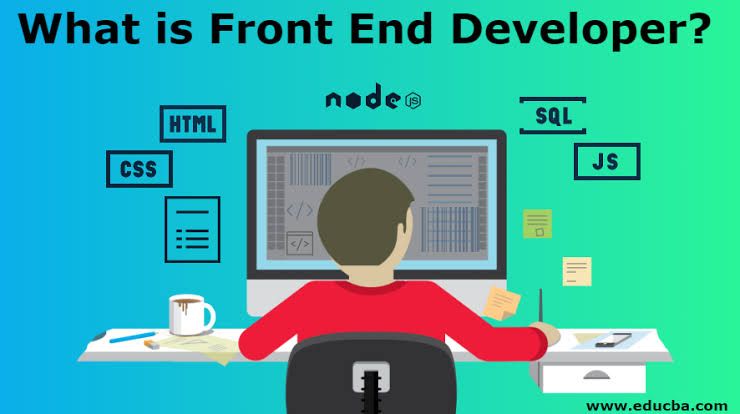
Front-end development refers to the part of website development that focuses on the user-facing side of a website. It involves creating and implementing the visual and interactive elements that users see and interact with, such as the layout, design, and functionality of web pages. Front-end developers use languages like HTML, CSS, and JavaScript to build the front-end of a website.
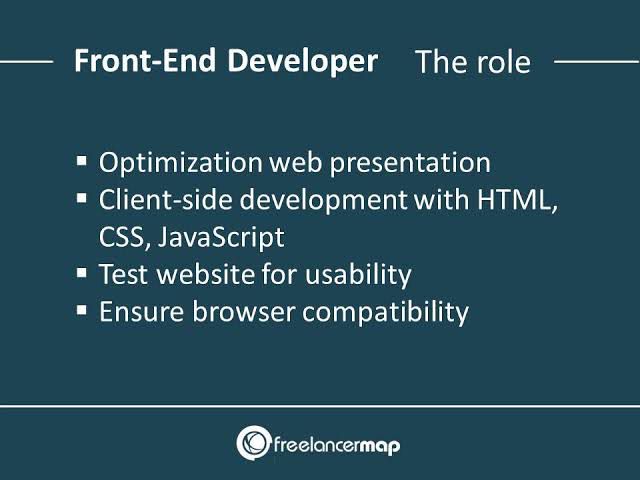
1- HTML5 Essentials: HTML5 is an essential markup language used for structuring and presenting content on the web. It’s the latest version of HTML (Hypertext Markup Language) and comes with several new features and improvements.
One of the key features of HTML5 is its enhanced support for multimedia elements. With HTML5, you can easily embed audio and video content directly into your web pages, without the need for third-party plugins like Flash. This allows for a more seamless and accessible user experience.
Another important aspect of HTML5 is its support for responsive web design. With the use of CSS media queries, HTML5 enables developers to create websites that automatically adapt to different screen sizes and devices. This is crucial in today’s mobile-first world, where users access the web from various devices.
HTML5 also introduces new semantic elements that provide more meaningful structure to your web pages. Elements like <header>, <nav>, <section>, and <footer> help organize and describe the different parts of a webpage, making it easier for search engines and assistive technologies to understand the content.
Additionally, HTML5 introduces several new form input types and attributes, making it easier to create user-friendly and accessible forms. Features like input validation, date pickers, and range sliders enhance the user experience and reduce the reliance on JavaScript for form validation.
One of the most exciting features of HTML5 is the ability to use the <canvas> element for drawing graphics and animations directly in the browser. This opens up a whole new world of possibilities for creating interactive and visually appealing web experiences.
Overall, HTML5 is essential for modern web development. Its new features and improvements make it easier to create rich, interactive, and accessible websites. Whether you’re a beginner or an experienced developer, learning and mastering HTML5 is a must-have skill in today’s digital landscape.
2- CSS3 Essentials: When it comes to CSS3, there are some essential features that you should definitely know about.
One of the key features of CSS3 is the ability to apply rounded corners to elements using the border-radius property. This allows you to create more visually appealing designs with softer edges.
Another important feature is the box-shadow property, which lets you add shadows to elements. This can be used to create depth and make your designs stand out.
CSS3 also introduces the @media rule, which allows you to apply different styles based on the device or screen size. This is crucial for creating responsive designs that adapt to different devices, like smartphones and tablets.
Another cool feature is the transform property, which allows you to apply various transformations to elements, such as rotations, scaling, and skewing. This opens up a whole new world of possibilities for creating interactive and dynamic designs.
CSS3 also brings new ways to handle typography with features like web fonts and text shadows. You can now easily use custom fonts in your designs and add stylish effects to your text.
These are just a few of the essential features of CSS3, but there’s a lot more to explore. CSS3 has revolutionized the way we style and design web pages, making it more powerful and flexible.
3-JavaScript for interactive elements: JavaScript is an incredibly powerful and versatile programming language, especially when it comes to creating interactive elements on web pages. There are several ways you can use JavaScript to make your elements interactive and engaging. Let’s dive into some of the key techniques!
- Event Handling: JavaScript allows you to handle various events triggered by user interactions, such as clicks, mouse movements, and keyboard input. You can use event listeners to detect these events and execute specific actions in response. For example, you can use the
addEventListenermethod to listen for a button click and perform a function when it happens. - DOM Manipulation: With JavaScript, you can dynamically manipulate the Document Object Model (DOM), which represents the structure of your web page. You can access and modify elements, change their styles, add or remove content, and even create new elements on the fly. This gives you the power to update your page in real-time based on user interactions.
- Form Validation: JavaScript can be used to validate user input in forms before submitting them to the server. You can check if required fields are filled, validate email addresses, enforce password requirements, and much more. By providing instant feedback to users, you can improve the user experience and prevent errors from being submitted.
- Dynamic Content Loading: JavaScript enables you to load content dynamically without reloading the entire page. This can be done through techniques like AJAX (Asynchronous JavaScript and XML) or by using modern approaches like the Fetch API. With these methods, you can retrieve data from a server, update specific parts of your page, and create seamless user experiences.
- Animations and Transitions: JavaScript allows you to create dynamic animations and smooth transitions on your web page. You can use libraries like CSS3 transitions or more advanced animation libraries like GSAP (GreenSock Animation Platform) to bring your elements to life. By combining JavaScript with CSS, you can create eye-catching effects and engage your users.
- Interactive Maps and Charts: JavaScript libraries like Leaflet and D3.js provide powerful tools for creating interactive maps and data visualizations. You can display markers, polygons, and custom layers on maps, and even add interactivity like zooming and panning. With D3.js, you can create stunning charts and graphs that respond to user interactions.
- Drag and Drop: JavaScript allows you to implement drag and drop functionality on your web page. By using the HTML5 Drag and Drop API or libraries like interact.js, you can make elements draggable.
4- Implementing smooth scrolling and navigation: Smooth scrolling and navigation can greatly enhance the user experience on a website. By implementing smooth scrolling, you can create a seamless and visually appealing transition between different sections of a page. Let’s explore how you can achieve this effect using JavaScript and CSS!
To implement smooth scrolling, we’ll need to use JavaScript to listen for click events on navigation links and animate the scrolling behavior. Here’s a step-by-step guide:
- HTML Structure:
Start by creating a basic HTML structure for your page. Include a navigation menu with anchor tags (<a>) that link to different sections of the page using theidattribute. For example: html
- CSS Styling:
Style your navigation menu and sections as desired using CSS. You can add some padding or margin to create space between sections and make them visually distinct. - Smooth Scroll JavaScript:
Now, let’s add the JavaScript code to enable smooth scrolling. Create a new JavaScript file or add the following code within a<script>tag at the end of your HTML file, just before the closing</body>tag: javascript
// Smooth scrolling
document.querySelectorAll(‘a[href^=”#”]’).forEach((anchor) => {
anchor.addEventListener(‘click’, function (e) {
e.preventDefault(); document.querySelector(this.getAttribute(‘href’)).scrollIntoView({
behavior: ‘smooth’,
});
});
}); This code selects all anchor tags (<a>) with ahrefattribute starting with#and adds a click event listener to each. When a link is clicked, it prevents the default behavior (scrolling to the target immediately) and instead smoothly scrolls to the target section using thescrollIntoView()method with thebehavioroption set to'smooth'.